Export and share a PDF
Render any finalized report to a print-ready PDF and send it to your client.
Every saved report can be exported as a PDF that's rendered server-side and previewed on the device. From the preview you can save it to the device, share it through the system share sheet, or open it in another app.
Steps
- 1
Open a finalized report
From the project's Reports list, tap any report that isn't a draft. Drafts can't be exported — finalize them first via Finalize Report.
- 2
Open the actions menu
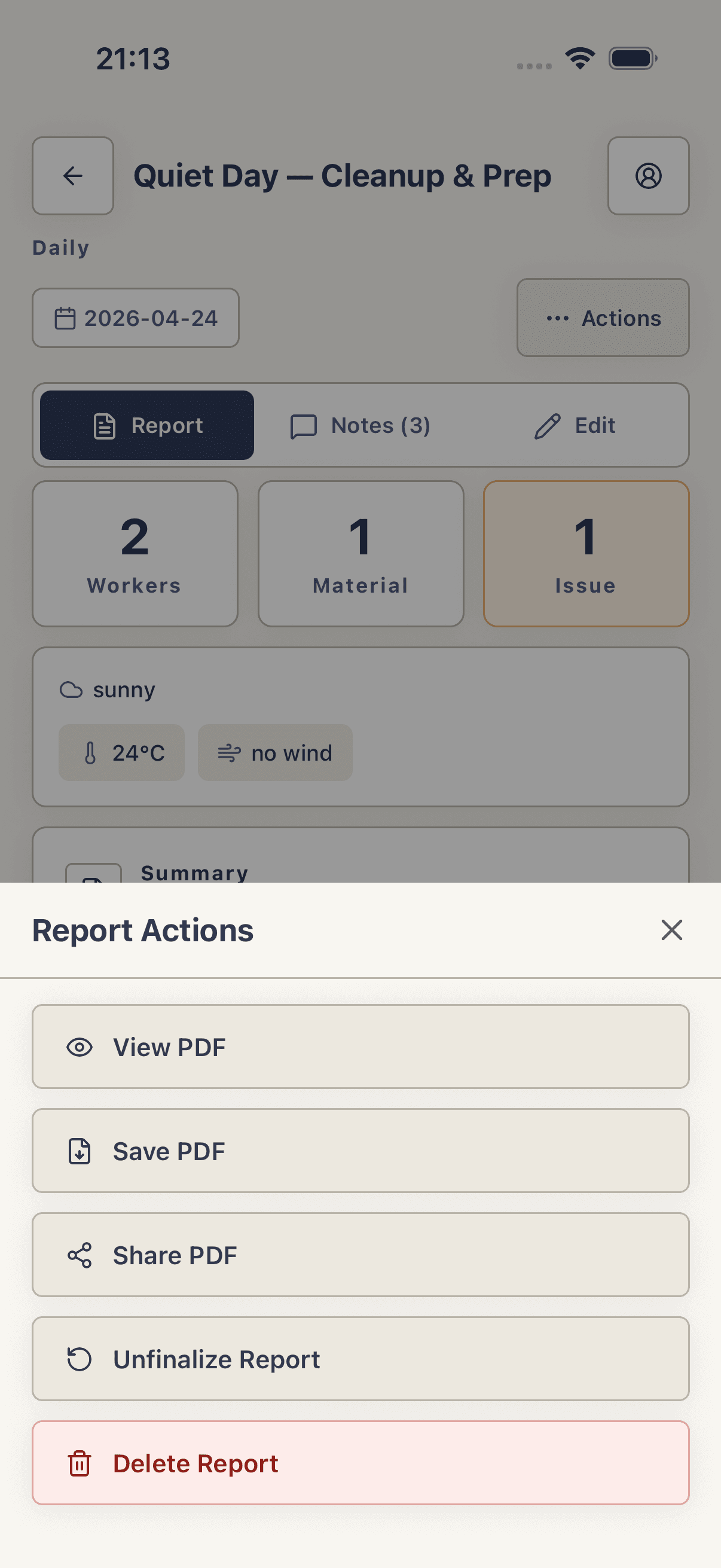
On the report detail screen, scroll to the ⋯ Actions button (a labeled button below the header, not a top-right icon) and tap it. A sheet titled Report Actions slides up with View PDF, Save PDF, Share PDF, and Delete Report.
- 3
Preview the PDF
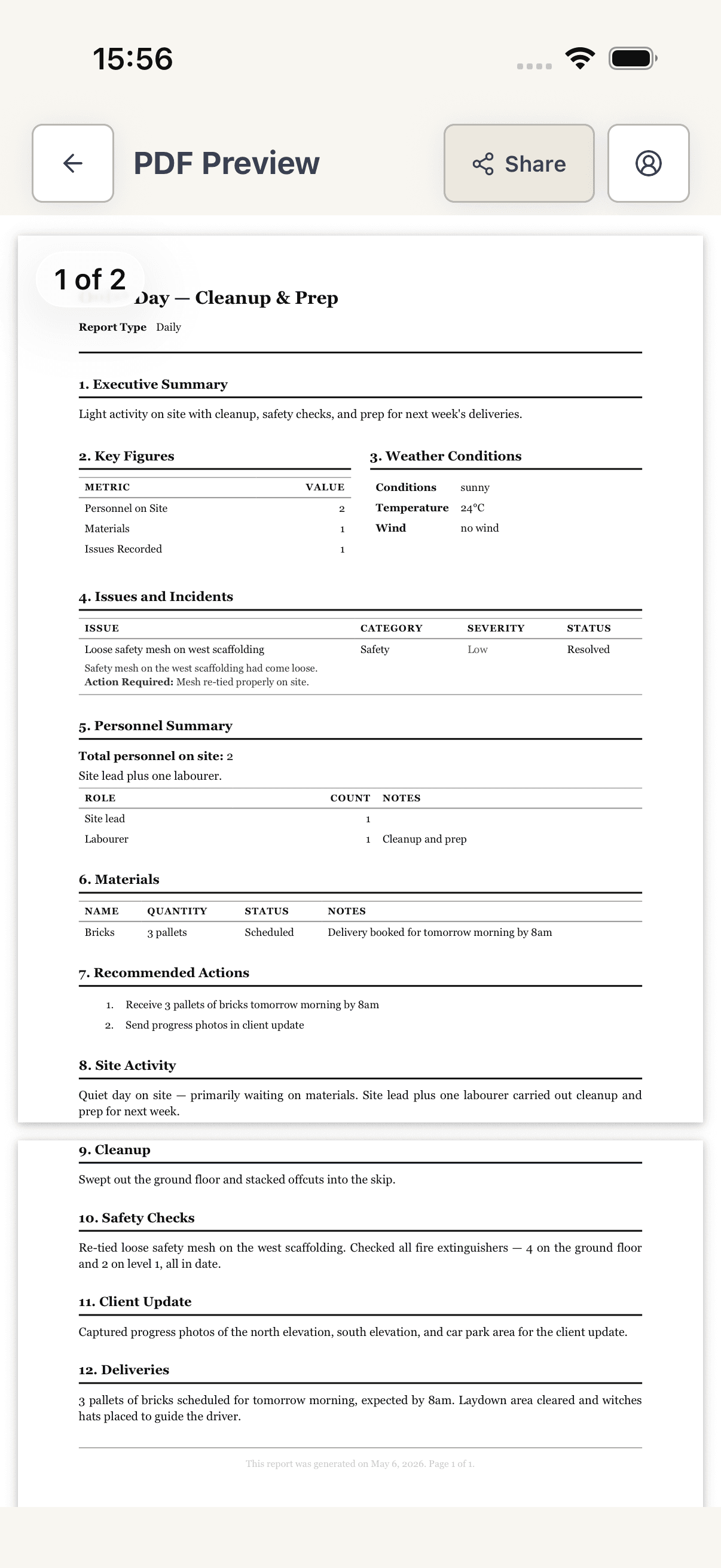
Tap View PDF. The app calls the PDF edge function, then opens an in-app preview titled PDF Preview. On iOS, tap Share in the top-right to hand off; on Android, tap Open externally at the bottom. Tap Close to dismiss the preview.
- 4
Save it to the device
Back in Report Actions, tap Save PDF. The file is written to the app's cache and a PDF Saved modal opens with three buttons: Open PDF (open in another app), Share PDF (system share sheet), and Done (dismiss).
- 5
Share via the system share sheet
From Report Actions, tap Share PDF. The native share sheet opens with Mail, Messages, AirDrop, WhatsApp, and any other share targets installed on the device. Pick one and send.
Tips
- The PDF is regenerated every time you tap View PDF, Save PDF, or Share PDF — edits made in the Edit tab are picked up immediately.
- If you only need a screenshot, use View PDF and screenshot from the in-app preview instead of saving.
Troubleshooting
Preview shows a blank page or spinner forever.
The render edge function timed out or you have no connection. Tap Close and retry View PDF — each tap regenerates the file from scratch, so a transient failure clears on retry.
Android: tapping View PDF does nothing or crashes.
Older builds offloaded PDF rendering to the system viewer; current builds render in-app via react-native-pdf. Make sure you're on a recent build — if a corporate MDM has stripped that module, Open externally still works.
Preview opens but is cut off at the top or bottom on a notched device.
Force-close and reopen the app — the modal uses safe-area insets that occasionally fail to hydrate on cold-launch. Reopening the report picks up the correct insets.
Share PDF doesn't show my app of choice.
iOS limits the share sheet to apps that registered a PDF handler. Use Save PDF then Open PDF from the confirmation modal to hand off via a different route.